Saved messages and vocabulary
Organize frequently used words, personal topics, care preferences, questions, and routines for quick access.
AAC and ALS
If you or someone you support has ALS, communication planning should account for both current speech and how physical access may change. Ollie provides customizable symbol boards and speech output with direct touch or Apple’s built-in Eye Tracking on compatible iPhones and iPads. Explore the setup that works for you as part of a forward-looking plan with an experienced SLP or AAC team.
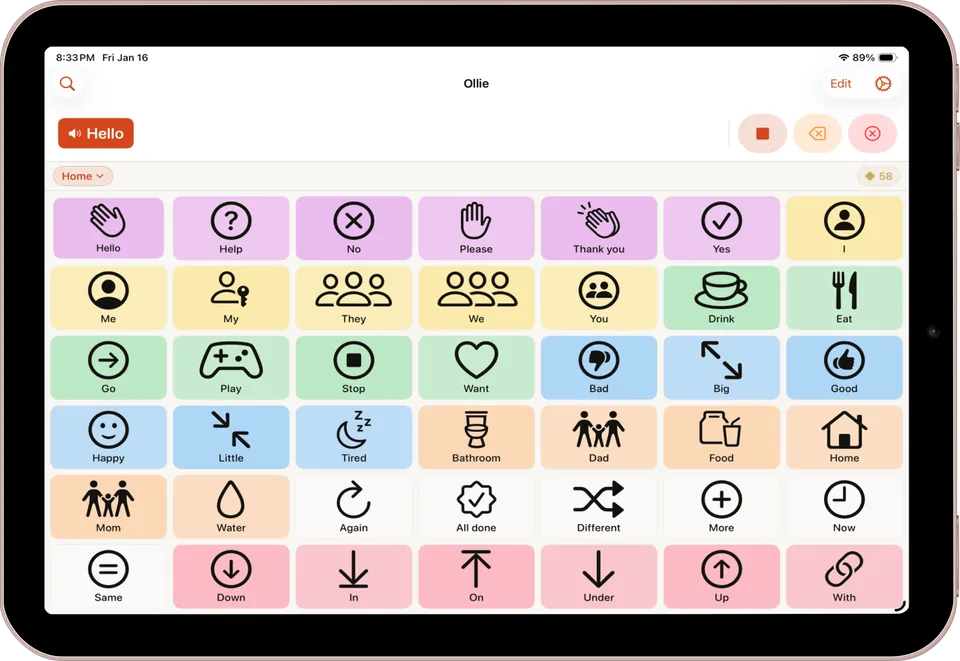
How Ollie may help
Organize frequently used words, personal topics, care preferences, questions, and routines for quick access.
Compose and speak messages on a compatible iPhone or iPad using touch or Apple’s built-in Eye Tracking.
Create boards for appointments, visitors, daily care, work, hobbies, and community activities.
Use it thoughtfully
Before choosing
Important: Ollie does not treat ALS and should not be the only communication plan when access needs may change. Professional AAC guidance is strongly encouraged.
Common questions
Use Ollie with Apple’s built-in Eye Tracking on compatible iPad and iPhone models. Enable and calibrate Eye Tracking in the device’s Accessibility settings; no separate eye-tracking accessory is needed for Apple’s built-in feature. Evaluate positioning, selection accuracy, and comfort with the communicator.
No. Ollie primarily uses customizable symbol and word boards. Adults who type efficiently should compare text-first systems.
Planning early can provide time to compare access methods and communication strategies with a qualified team. Medical and clinical guidance should come from the person’s providers.
Keep exploring
Try a board for daily conversations with your care team, checking touch or Apple Eye Tracking comfort and planning for any changes in access.